Chelsea Reservations: New Updates & Features
Chelsea has introduced several updates to make managing your tee times and event sign-ups faster and more intuitive. Please see the details below regarding the new mobile app, tee time requests, and website facelift.
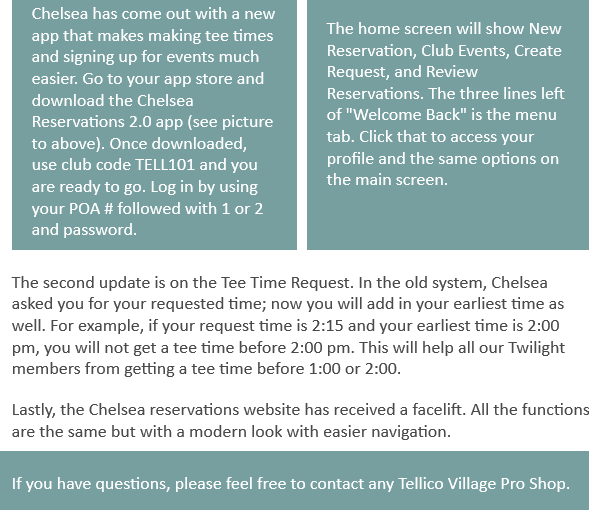
1. New Chelsea Reservations 2.0 AppChelsea has launched a new mobile app designed to simplify your booking process.
Questions? If you have any questions regarding these updates or need assistance with the new app, please feel free to contact any Tellico Village Pro Shop.
Chelsea has introduced several updates to make managing your tee times and event sign-ups faster and more intuitive. Please see the details below regarding the new mobile app, tee time requests, and website facelift.
1. New Chelsea Reservations 2.0 AppChelsea has launched a new mobile app designed to simplify your booking process.
- How to Get It: Download the Chelsea Reservations 2.0 app from your mobile app store.
- Club Code: Once downloaded, use club code TELL101 to get started.
- Login Credentials: Log in using your POA # followed by a 1 or 2, along with your existing password.
- Navigation: The home screen provides quick access to New Reservations, Club Events, Create Request, and Review Reservations.
- Menu Options: Click the three horizontal lines to the left of "Welcome Back" to access your profile and additional settings
- How it Works: In addition to your requested time, you will now add your earliest possible start time.
- Example: If your requested time is 2:15 PM but your earliest time is set to 2:00 PM, the system will not assign you a time before 2:00 PM.
- Benefit: This update specifically helps Twilight members avoid receiving tee times earlier than their membership allows (e.g., before 1:00 PM or 2:00 PM).
Questions? If you have any questions regarding these updates or need assistance with the new app, please feel free to contact any Tellico Village Pro Shop.